


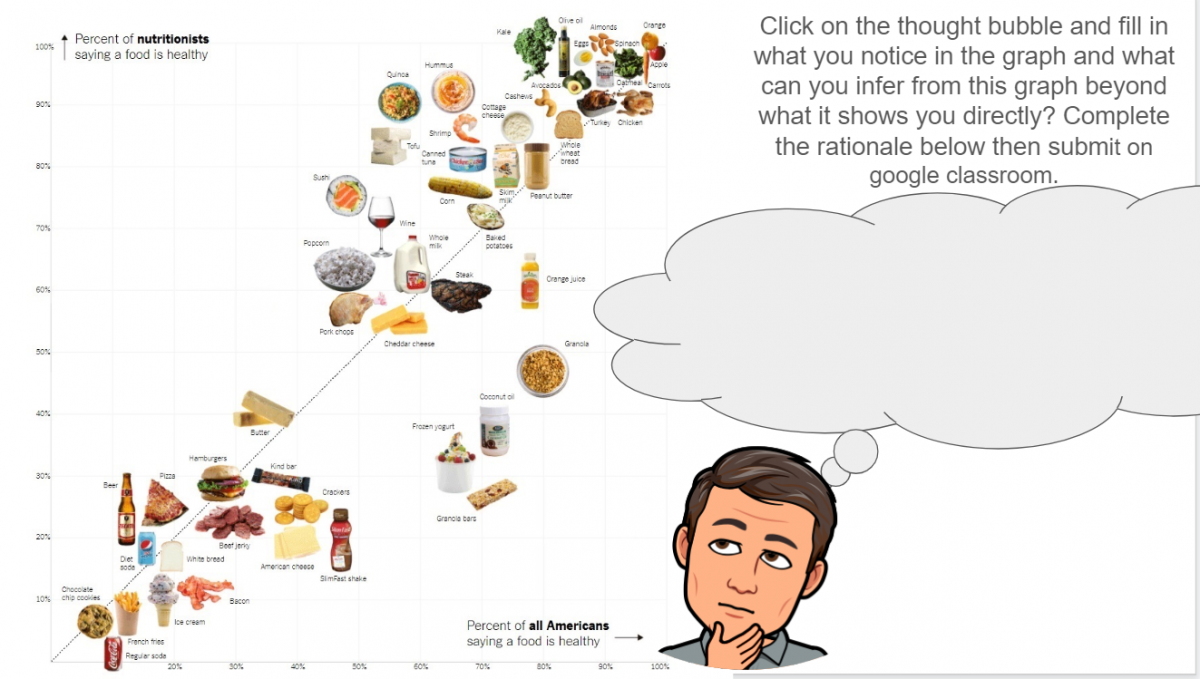
Over the last month and a half, we have been forced to find new strategies to connect with each other and with our students. Adapting new technology is not always the easiest thing to do and it has been amazing to see how our community of teachers, parents and students have been able to work together to create a meaningful experience for our students. Google Classroom has been widely adopted by many teachers in our district and to help you out, there are many different ways that you could use Google Slides and Google Drawing in a meaningful and fun way to make student thinking visible!
‘Caption This’ is a strategy from the author of ‘Ditch That Textbook’, Matt Miller. This is a great way to get students to share their thinking about what is going on in the image and their understanding of the topic being covered. In this activity students are prompted with an image and are asked to fill in the thought bubble of what the person/object may be thinking.
Here is a link to a template that you could use. Check out Matt’s blog post for more examples of how to use this tool!